Our DMX software is available for Windows and MacOS computers
Declare your lighting equipment
With SweetLight’s dmx software, you can do many, many things.
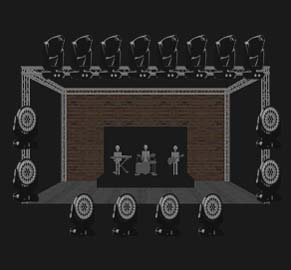
Select your fixtures from our library, or create your own with the library editor in our dmx software, or ask for them in our forum. And position them in the 2D view.
Create simple scenes
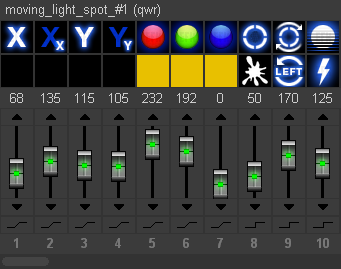
Select a group of par cans and adjust channels levels & fade mode and duration for each step. Stack steps to build a scene.
Create complex effects
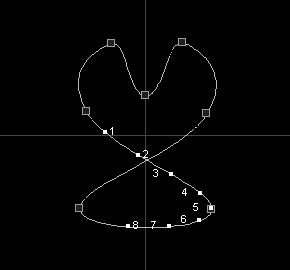
Select a group of moving lights, and for the chosen channels, load/draw a curve and adjust the delay between all fixtures. Your scene is done.
Create pixel mapping effects
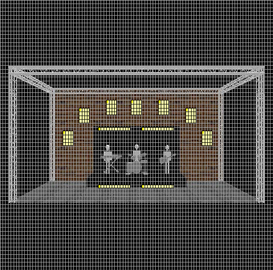
Select the fixtures and apply them rainbow / text scrolling / animated pictures effects. Stack effects to build the scene.
Make your live show
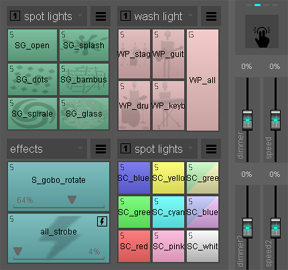
Customize your screen with pages, buttons and sliders of your choice. Connect a midi control surface to drive all with color control of the midi buttons.
Play a synchronized show
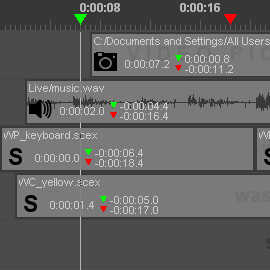
Drag and drop the light & audio & video files at a specific time to build the show. Press play to run the show.
Play a sequence of cues
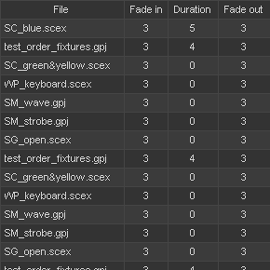
Organize the scenes in a vertical list. Select the next scene to play and press the “go” button.
Visualize the lightshow before plugging the lights
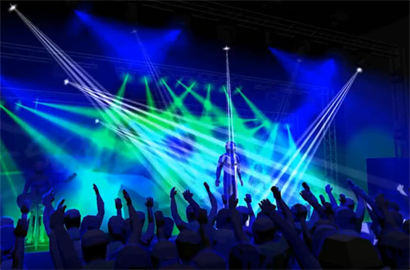
Build your stage with our bank of 3D objects, position your fixtures, and watch the lightshow in our 3D rendering.
Control the lightshow with your smartphone
Download our app “Live Mobile” for smartphone (Android or IOS). Connect it to our software and play the lightshow with your smartphone.
Evaluate our DMX Software for free!
Download it, load the demo project and watch the lightshow in our 3D viewer.
SweetLight is available for download on your Windows or MacOS computer.